
Small blue McTrans logo

4 Exciting New Features in the HCS 2024 Release

2026-04-02T14:19:31+00:00September 13, 2023|
Dr. Fabio Sasahara
Dr. Fabio Sasahara

It is almost that time of the year! Our team is wrapping up the release of the Highway Capacity Software (HCS) 2024, with a series of exciting new features. This article summarizes the major changes in the upcoming release to provide our users with a streamlined experience in traffic modeling.

Two-Lane Highways – Automated Map Segmentation

The new Two-Lane Highways module will include a brand new map segmentation feature, similar to what is currently available for the Freeways module. Based on the Bing Maps architecture, this new tool will allow the user to easily create a facility on top of a map by placing segment boundary nodes.
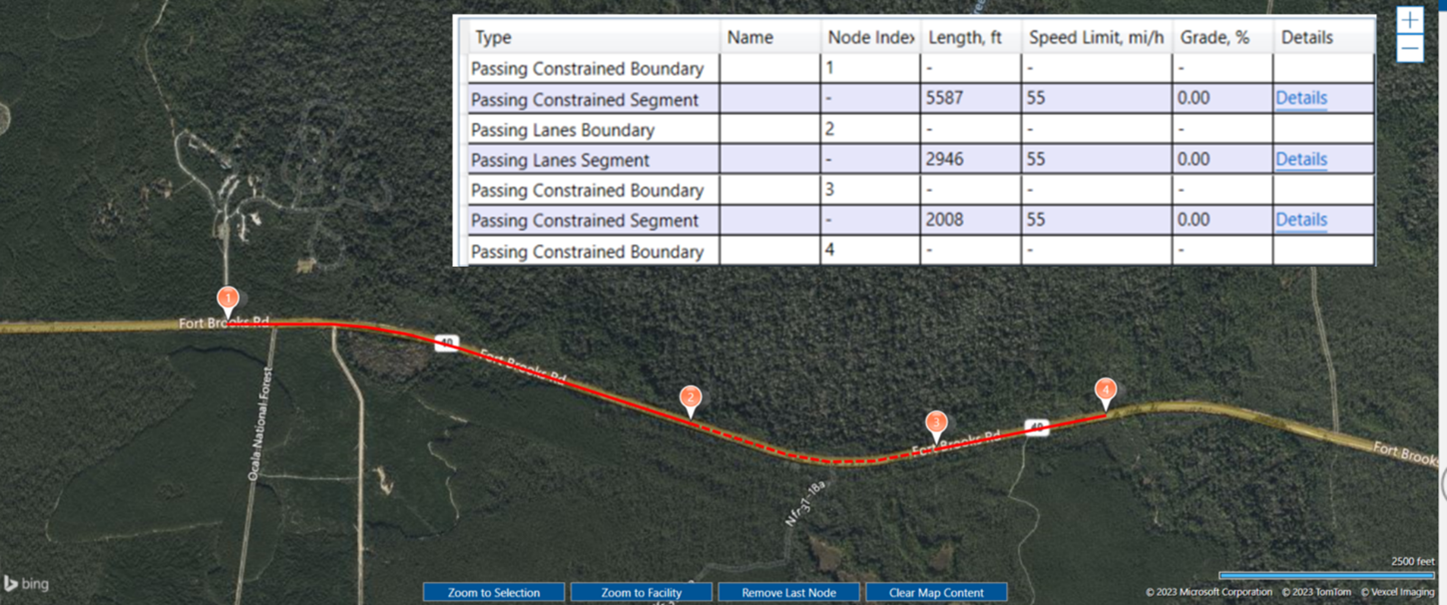
Screenshot of a map-based roadway analysis tool showing a two-lane highway over satellite imagery, with segmented points along a red route and a table listing attributes such as segment type, length, speed limit, and grade.

Map-based segmentation - Two-Lane Highways

It is also possible to easily model horizontal curves within a segment by placing nodes at curve points (PT, PC):
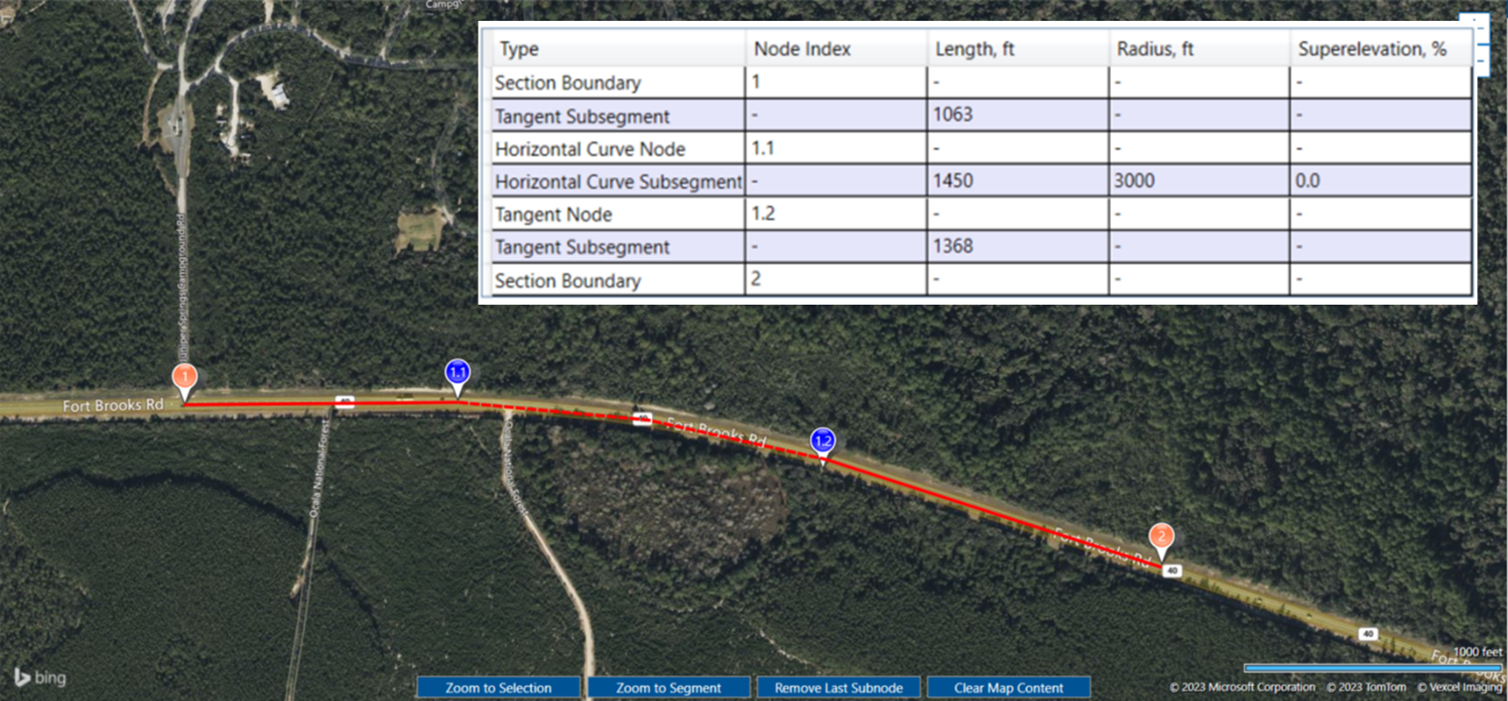
This is a screenshot of a map-based roadway analysis tool showing the horizontal curvature modeling for a two-lane highway.

Horizontal curvature modeling - Two-Lane Highways

Two-Lane Highways – Global Inputs

The new Two-Lane Highways module will also include a “Global Inputs” setting, which can greatly streamline the modeling of a facility with multiple segments. For any parameter that is consistent across an entire facility, the user only needs to provide it once, and it will be applied to all segments in the facility.
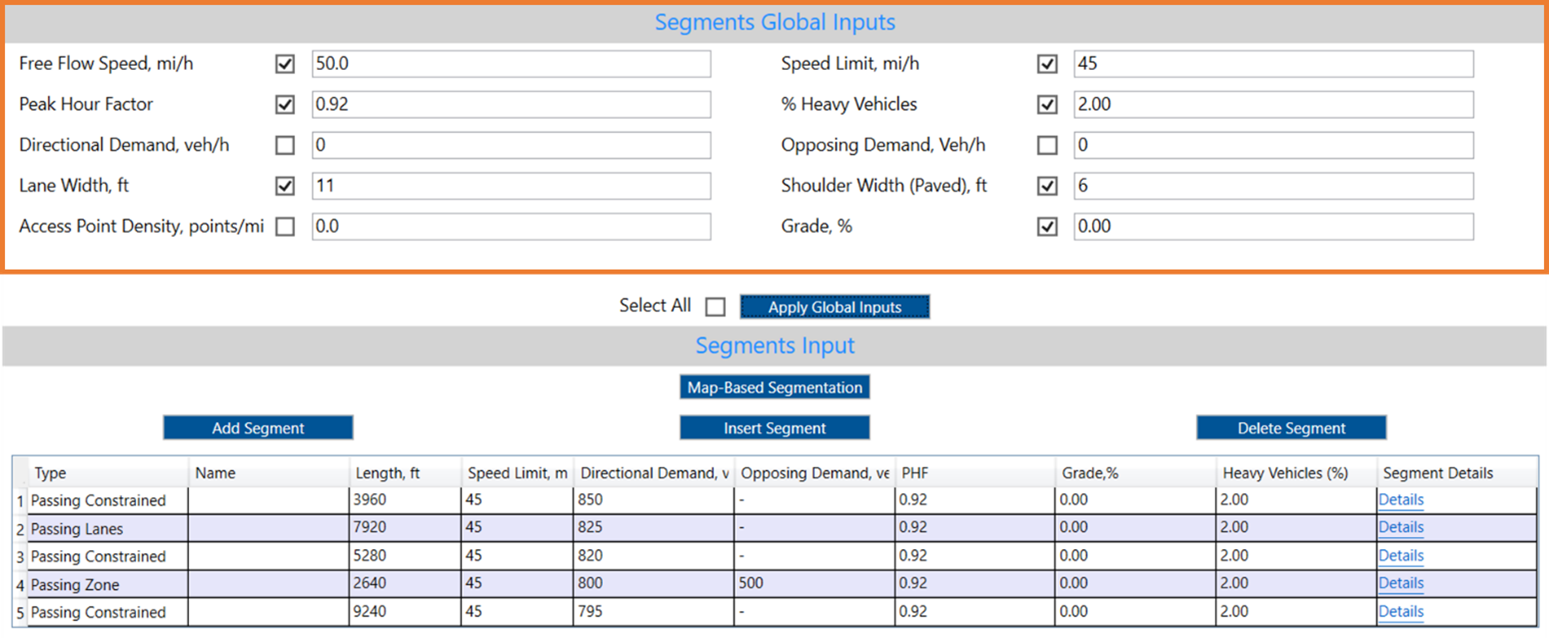
Screenshot of a roadway analysis interface showing “Segments Global Inputs” for a two-lane highway, with fields for free-flow speed, peak hour factor, lane width, speed limit, percent heavy vehicles, shoulder width, and grade, along with a table below listing individual segment data such as length, speed limit, demand, and grade.

Global Inputs - Two-Lane Highways

Freeways – Improved User Interface

The Freeways module will bring several upgrades in its user interface to facilitate the data input process, including:
Data Grid

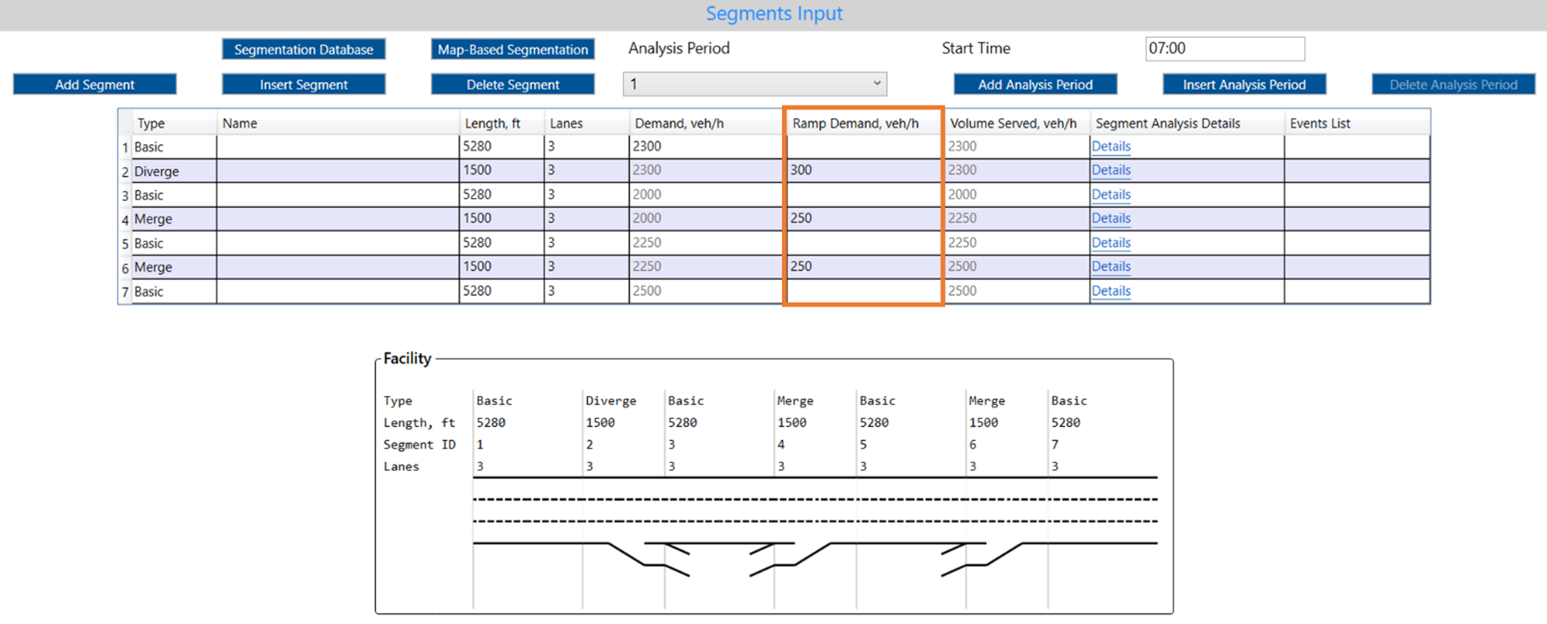
The Freeway data grid (“Segments” page) now includes an additional column for Ramp Demand inputs. If a facility has multiple Merge and Diverge segments, all volumes can be easily entered at once on this table without the need to scroll through multiple segments.

Screenshot of a roadway analysis interface showing “Segments Global Inputs” for a two-lane highway, with fields for free-flow speed, peak hour factor, lane width, speed limit, percent heavy vehicles, shoulder width, and grade, along with a table below listing individual segment data such as length, speed limit, demand, and grade.

Ramp demand quick input - Freeways

Updated Details Page

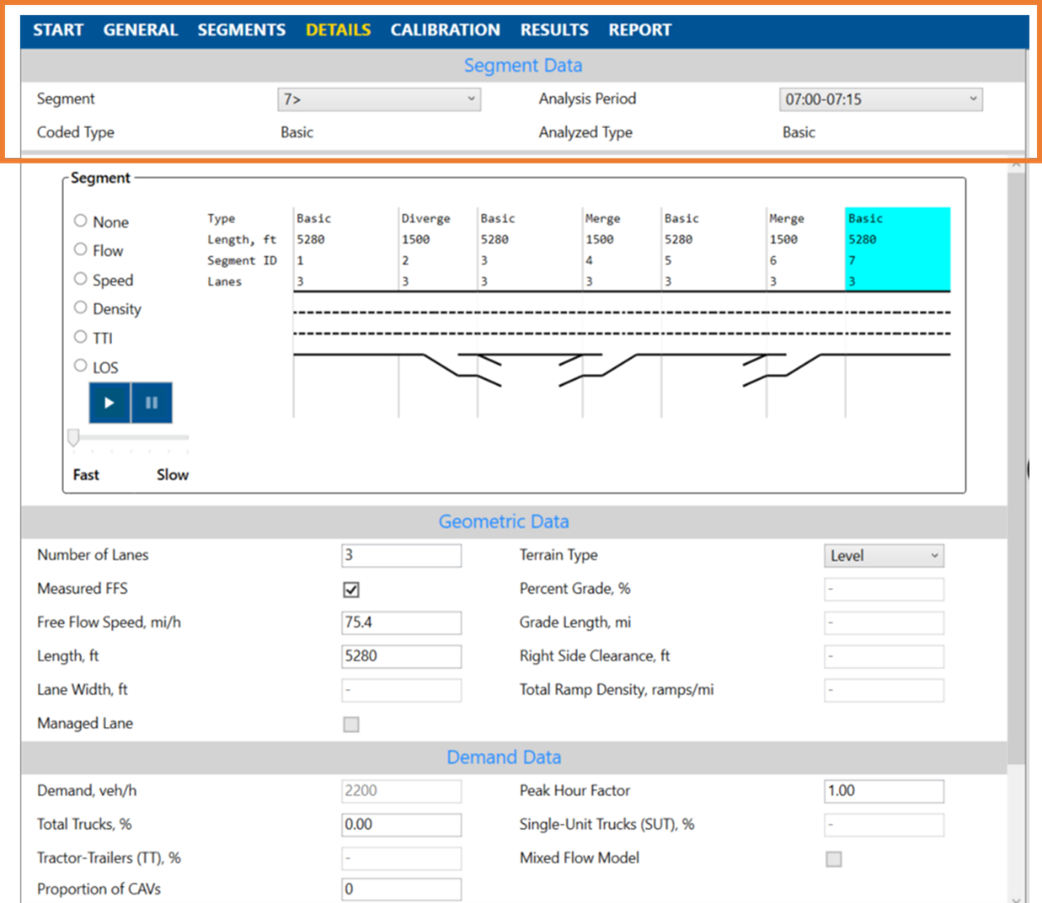
The top header of the “Details” page is now fixed to facilitate the experience of going through multiple freeway segments, either for data input or reviewing, minimizing the need for excessive scrolling.

This is a graphic showing the Frozen top header of the details page for Freeways which is now fixed to facilitate the experience of going through multiple freeway segments minimizing the need for excessive scrolling.

Frozen top header - Freeways

Unsignalized Intersections – Queue Outputs in Feet

Starting in HCS 2024, stop-controlled intersections, and roundabouts modules will include a new output for back-of-queue length measured in feet. This feature was previously available only for signalized intersections, but was expanded to other intersections to address our users’ needs.

A screenshot of the queue length calculations interface showing a new output for back of queue length measured in feet.

New user input - average stored vehicle length (unsignalized intersections)

The queue length is computed based on a weighted average of queued vehicles, which the user can calibrate. The recommended default values per HCM are 25 ft. for queued passenger cars and 45 ft. for queued heavy vehicles.
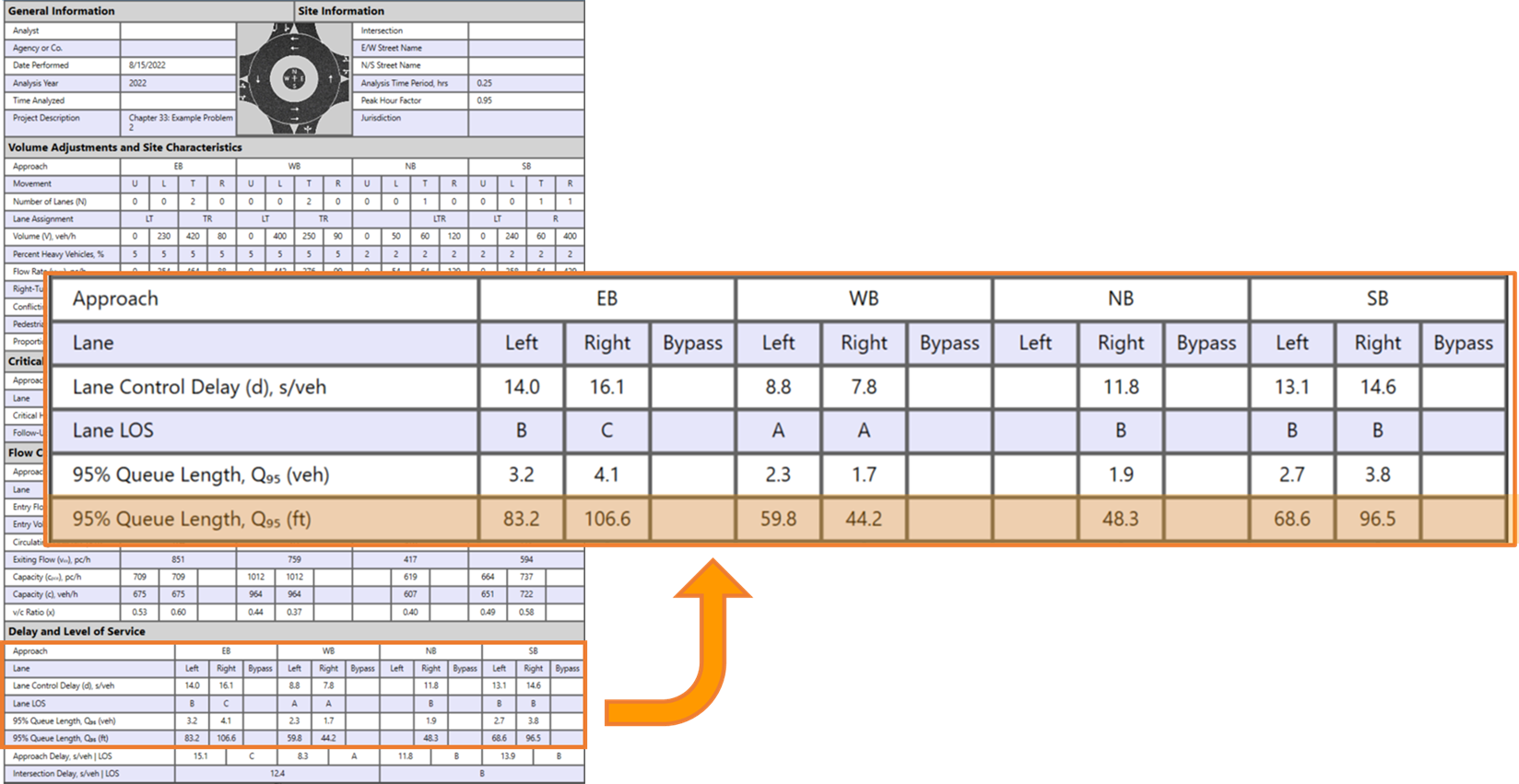
A screenshot of the roadway analysis interface showing the new back of queue length section shown in feet.

New performance measure - back-of-queue length in ft.

Go to Top