
Dr. Ehsan Amini
Accurately modeling different types of two-way roads is essential for realistic simulations that reflect actual driving conditions and behaviors. This article provides a step-by-step guide on how to model three common two-way road configurations in TSIS-CORSIM: Two-Way Passing Permitted, Two-Way Road with Directional Passing Zones, and Two-Way Road with a No-Passing Zone (Figure 1).
- Two-Way Passing Permitted: sections of a two-way road where vehicles moving in either direction are allowed to cross the centerline to overtake slower vehicles when it is safe to do so.
- Two-Way Road with Directional Passing Zones: sections of a two-way road where passing zones are designated for one direction at a time.
- Two-Way Road with a No-Passing Zone: sections of a two-way road where passing maneuvers are prohibited in both directions.
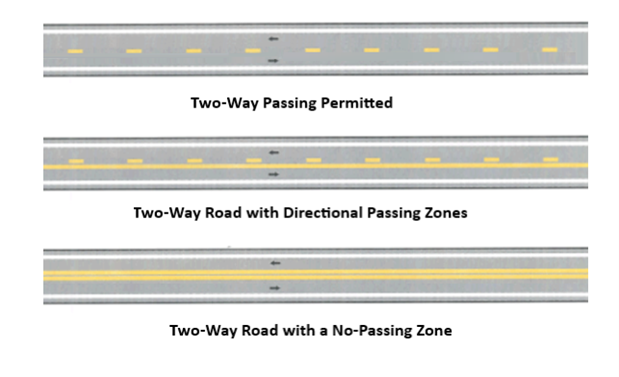
Figure 1: 3 types of Two Way roads
Steps:
Creating Roads for Each Direction:
Begin by establishing road segments for each direction. Using Freeway and highway links you can model your road. Keep that in mind whenever you have any changes in your road condition, such as changes in the number of lanes or types of road, we need to separate the link with a node (Figure 2, and Figure 3).
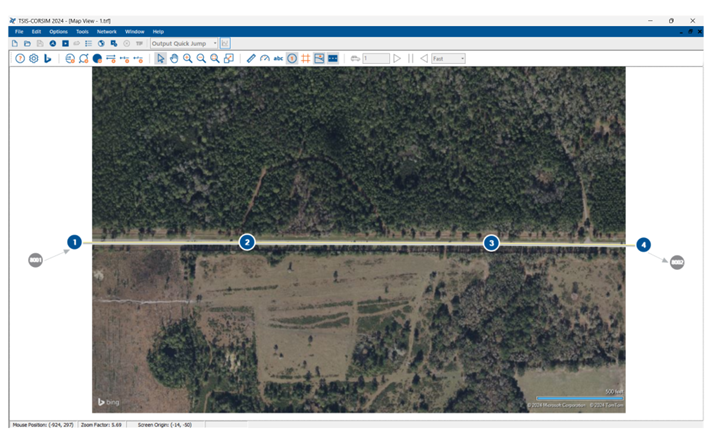
Figure 2: Creating EB Direction
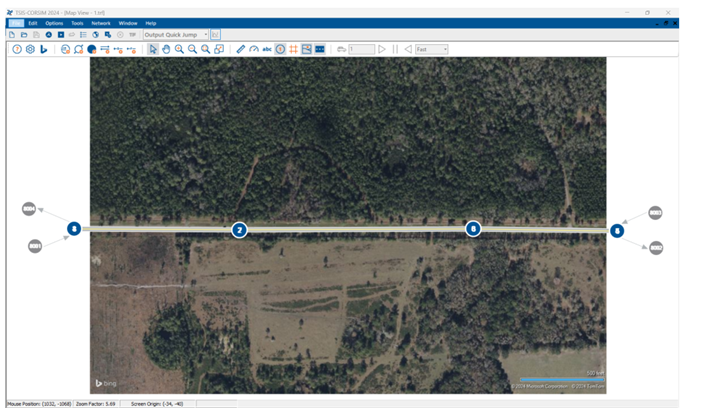
Figure 3: Adding WB Direction
Configuring Road Types
Two-Way Passing Permitted Roads
- Right-click the link and select “Edit link.”
- Under the general tab, for links in both directions, select “Two Directions.” This setting allows for overtaking in both directions, simulating roads where passing is freely permitted (Figure 1).
Two-Way Roads with Directional Passing Zones
- For a road that allows directional passing, adjust the settings to enable “One Direction” passing for the direction where overtaking is allowed and “Not allowed” for the opposite direction. This configuration replicates roads with designated passing zones in one direction at a time.
Two-Way Roads with No-Passing Zones
- Set both directions to “Not allowed” for roads intended to have no-passing zones. This setting is crucial for sections where overtaking could lead to safety hazards, accurately reflecting restrictions in real-world scenarios.
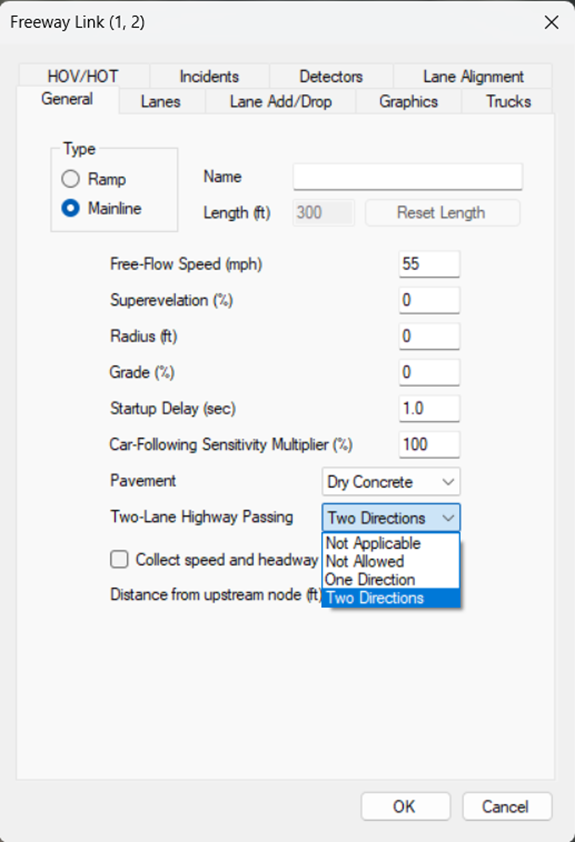
Figure 4: Change Two-Lane Highway passing option in Freeway Link Menu Option
Example Configurations
Table 1 shows the settings for each segment of the road, including ‘Two-Way Passing Permitted,’ ‘Two-Way Road with Directional Passing Zones,’ and ‘Two-Way Road with a No-Passing Zone,’ modeled in the simulation (see Figure 5).
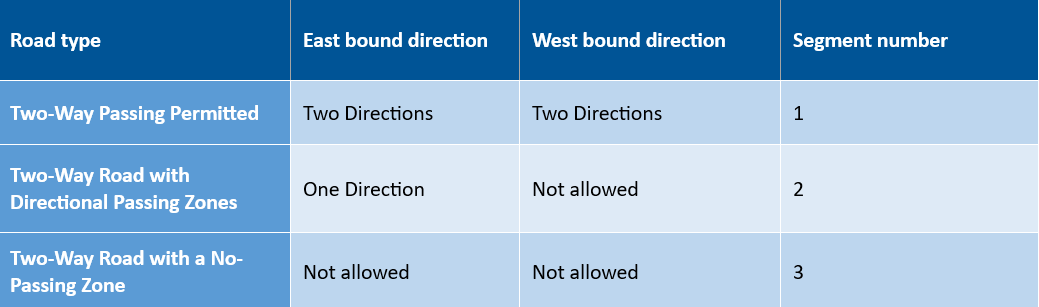
Table 1: Setting for different types of road in Figure 5.
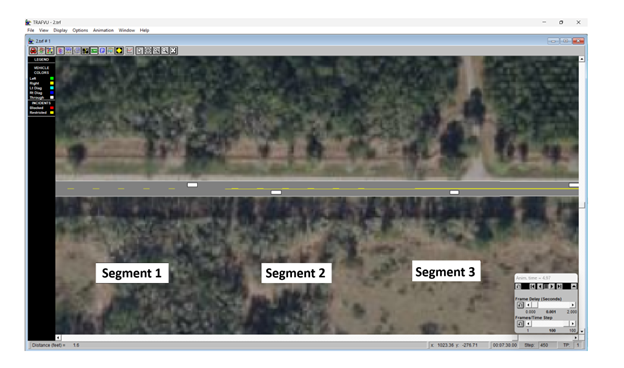
Figure 5: Example of 3 road type modeled in TSIS-CORSIM